The 10 Pros and Cons of Using an External Keyboard
One of the plus points of using an external keyboard with your laptop is that it can offer a more ergonomic typing experience, which can be beneficial for those who type a lot. On the other hand, a con would be that it takes up more space on your desk, also making it difficult to carry around.
With such (and many more) pros and cons to consider, the decision to buy an external keyboard can be a difficult one to make. So, to help you reach a decision, it’s time to weigh the upsides and downsides of investing in an external keyboard.

The Pros Of Using an External Keyboard
Let’s start with some benefits of using an external keyboard with your laptop.
1. Fast and Ergonomic Typing
Laptops are designed to be compact and portable, which is why their keyboards are usually a little cramped. In addition, they have less key spacing and travel, and their layout is often compromised. All these qualities of laptop keyboards slow down your typing speed and make the overall experience more uncomfortable.
External keyboards, on the other hand, are typically larger, allowing better key spacing. You have the space to decide how much key travel you’re looking for, along with the keyboard type (mechanical, membrane, or chiclet).

2. Dedicated Numeric Keypad
A numeric keypad (or numpad) is a set of keys with numbers (from zero to nine) and mathematical operation buttons (+, -, *, and /). The keys are arranged in a rectangular form, compared to the linear arrangement in the number row. This arrangement makes the numpad feel and work like a calculator, which makes for easy and faster calculations.
Although they were more common back in the day, recent laptop keyboards don’t typically have numeric keypads (typically, you’ll be buying a 17" laptop if you want one). If you have lots of mathematical/data entry work to do, an external keyboard with a numpad will suit you best.

But, even if you don’t, getting one will help speed up your everyday use as you can type numbers faster and more ergonomically.
3. Protects Main Keyboards
The best argument for buying an external keyboard is that it protects your laptop’s built-in keyboard from wear and tear, retaining some resale value. If you havesweaty hands and use your MacBook with them, you’re likely to inflict permanent smudge marks on the keys and palm-rest area.
Using an external keyboard protects this from happening. Another scenario where it’s useful is for users who like to have snacks while using their laptops. By using an external keyboard here, you’re able to prevent drinks, grease, or crumbs from getting into your laptop’s built-in keyboard.

4. Replaceable
If you somehow break or damage your laptop’s main keyboard, you may have difficulty finding a replacement. However, external keyboards are different. For one, they’re more durable and can endure more damage. But, even if you end up damaging them (permanently, even), you can get a new one quickly, with a few clicks.
And even if you don’t damage it and simply want a different type, design, or style of an external keyboard, you can replace it. With the laptop’s integrated keyboard, this isn’t the case. You have to take the laptop to a repair shop, look for a spare keyboard if needed, and spend a lot more than what you’d have to spend in the case of an external keyboard.
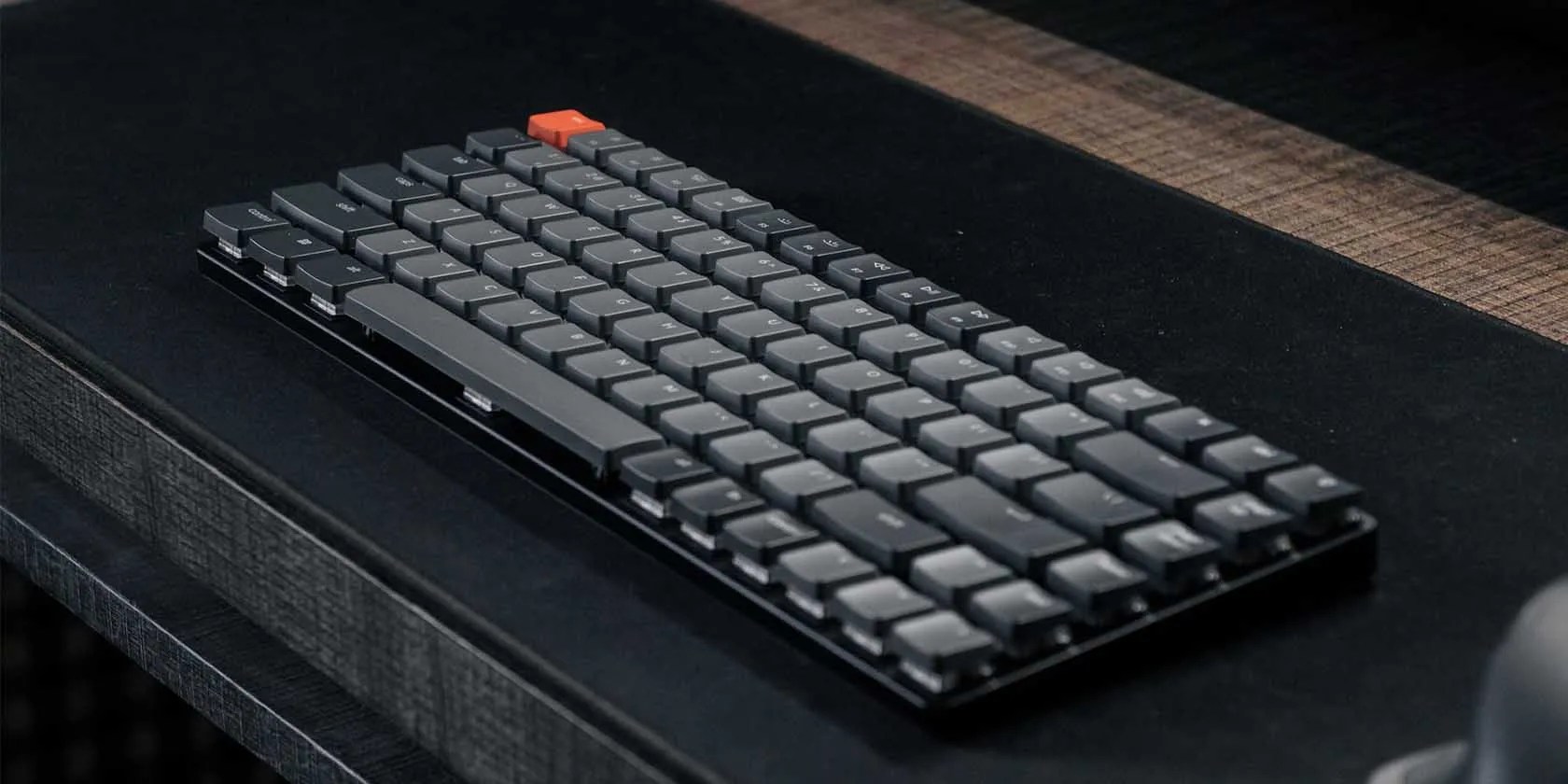
5. Better Desk Setup
Having a beautiful desk setup is a thing nowadays—people compete to have the most stylish, minimal, and useful desk setup possible. The competition doesn’t limit itself to PC or desktop owners but to laptop owners too.
With the variety of external keyboards, you can pick the style you want based on your desk setup vision. Some mechanical keyboard manufacturers let youpick the type of mechanical switchesand colors of keys you want and can go as creative as you can. Most built-in laptop keyboards don’t offer this flexibility.
6. Laptop Closed-Lid Mode
If you want to use your laptop in your desktop setup as your main computer with an external monitor, using an external keyboard will allow you to close the lid of your laptop and operate it with the external keyboard instead.
Using external keyboards for this purpose is common among Mac users, who call it “clamshell mode.”
7. Easier Cleaning
Keyboard keys get dirty easily—this is especially true for laptop keyboards. Plus, since they’re often too delicate (because of their chiclet mechanism), it’s hard to safely disassemble and clean them without damaging the laptop.
External keyboards are pretty much the opposite. You can quickly pull out the keys, clean them, and put them back in again.
The Cons Of Using an External Keyboard
Now, toward some drawbacks of using external keyboards.
1. Portability
External keyboards make your laptop setup somewhat less portable. You cannot carry your laptop in a sleek sleeve anymore and have to go with bags with pockets to accommodate the keyboard.
Things can be worse if you’re going with a wired keyboard, which isn’t as compact as some wireless external keyboards (like Logitech’s K380 and MX Keys Mini or Apple’s Magic Keyboard). The laptop bag has to be spacious enough to house the keyboard and its wire.
2. More Desk Space Required
External keyboards take up considerable desk space, depending on their size. Therefore, they may not suit you if you have a more compact or minimal setup. Alternatively, if you don’t have a setup and usually use your laptop from your bed or couch, using an external keyboard would not be ergonomic and, instead, be quite challenging.
On average, you will need at least a 15 x 5-inch space to fit a compact keyboard, like aKeychron K2, on your desk. Before you buy an external keyboard, check out ourkeyboard size guideto understand what size would be right for your desk. It’s easy to buy a keyboard that’s either too small or (mostly) too big.
3. Additional Investment
Another “con” of adding an external keyboard to your setup is that you’ll have to spend extra to get one. Such a keyboard can cost you anywhere between $25 and $200 on average, depending on how much you’re willing to spend.
4. Battery Replacement
If you’ve picked a wireless external keyboard, it will need battery replacements occasionally. Of course, even rechargeable keyboards will need a battery replacement, but it will be after a while—in which case, it might just be better to replace the whole keyboard.
External Keyboards Are Worth It
The drawbacks of an external keyboard are mostly hard-sells. Battery replacement and spatial issues—although they’re not negligible either—are rare occurrences. And most budget keyboards are so good that you don’t need to spend more than $50 in most cases.
So, it’s clear that external keyboards are worth it. Let’s now see whether you should get a Bluetooth or a wired one. It may sound counter-intuitive, but a wired keyboard may be better because Bluetooth keyboards are not great for gaming and may cause pairing issues.
Before you commit to buying a Bluetooth keyboard, consider these drawbacks and issues that may cause you to change your mind.
When your rival has to bail out your assistant.
Your iPhone forgets what you copy, but this shortcut makes it remember everything.
The best features aren’t the ones being advertised.
I gripped my chair the entire time—and then kept thinking about it when the screen turned off.
It’s not super flashy, but it can help to keep your computer up and running.
