How to Unsend and Edit Messages on iPhone
Quick Links
If you often make typos or send messages without thinking twice, iMessage makes it easy to fix your mistakes and save yourself from embarrassment. Here, we’ll show you how to edit and unsend iMessage texts on your iPhone or iPad.
Sign up forfree
Forgot your password?
Create an account
*Required: 8 chars, 1 capital letter, 1 number
By continuing, you agree to thePrivacy PolicyandTerms of Use.You also agree to receive our newsletters, you’re able to opt-out any time.

iMessage gives you two options to fix your mistakes while texting someone. Long-press on a text bubble to find theEditandUndo Sendoptions, then choose what you want to do. It’s that easy.
you’re able to undo a sent message up to two minutes after sending it, while the option to edit a message appears for up to 15 minutes after you send the message. Note that you can only edit a message up to five times.
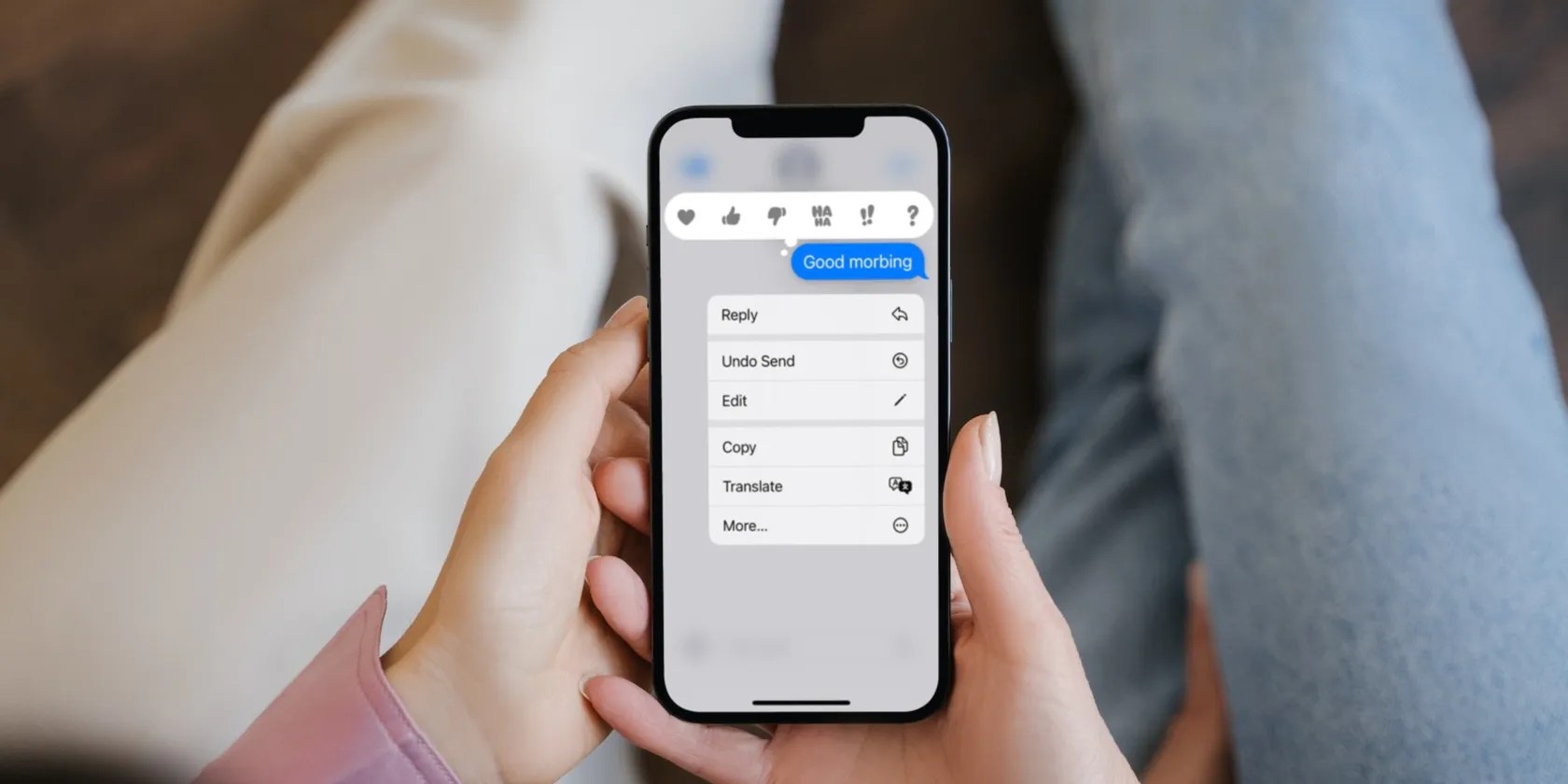
While you have time to edit or delete, the messages are sent right away and aren’t delayed, unlikeunsending emails in the Mail app on your iPhone. That means anyone who reads the message straight away can see what you originally sent. It’s also possible for the recipient toread an iMessage without alerting the senderthat they have read it. So you can never be sure whether someone saw your first message.
This also only works for people who also have iMessage. You can tell if the person you’re texting has iMessage from the blue text bubbles. TheUndo SendandEditfeatures won’t work for green messages, which are regular SMS texts.

Can Others See if You Edit or Unsend a Message?
Yes, the recipient can see if you edit or unsend a message, as a small note will appear beneath it. However, they won’t be able to see the contents of the original message that was unsent.
They will, however, be able to see the contents of the edited message. This means that you cannot go back and edit older messages without everyone knowing.

When Should You Edit or Unsend a Message?
It’s important to note that while this feature is handy, you shouldn’t send messages to others that you wouldn’t want them to read in the first place.
The ability to edit a message is great for fixing typos, and is better than sending an additional text (and thus another ping) clarifying what you meant. The Unsend feature is helpful if you sent a message to the wrong person, sent an unnecessary text overall, or in cases where you hit “send” too early by mistake.

Before you unsend a message, remember that the recipient could read it right away. It’s also possible that they can do so without alerting you. So be quick to unsend iMessages on your iPhone if you want to avoid such situations.
The default 10-second delay for the Undo Send feature in the Mail app isn’t adequate for many users. So, follow this guide to change it quickly.
Revolutionize your driving experience with these game-changing CarPlay additions.
When your rival has to bail out your assistant.
Taming data is easier than it looks.
My iPhone does it all, but I still need my dumb phone.
it’s possible to block out the constant surveillance and restore your privacy with a few quick changes.
