5 Ways iOS 16 Will Change Your iPhone’s Lock Screen
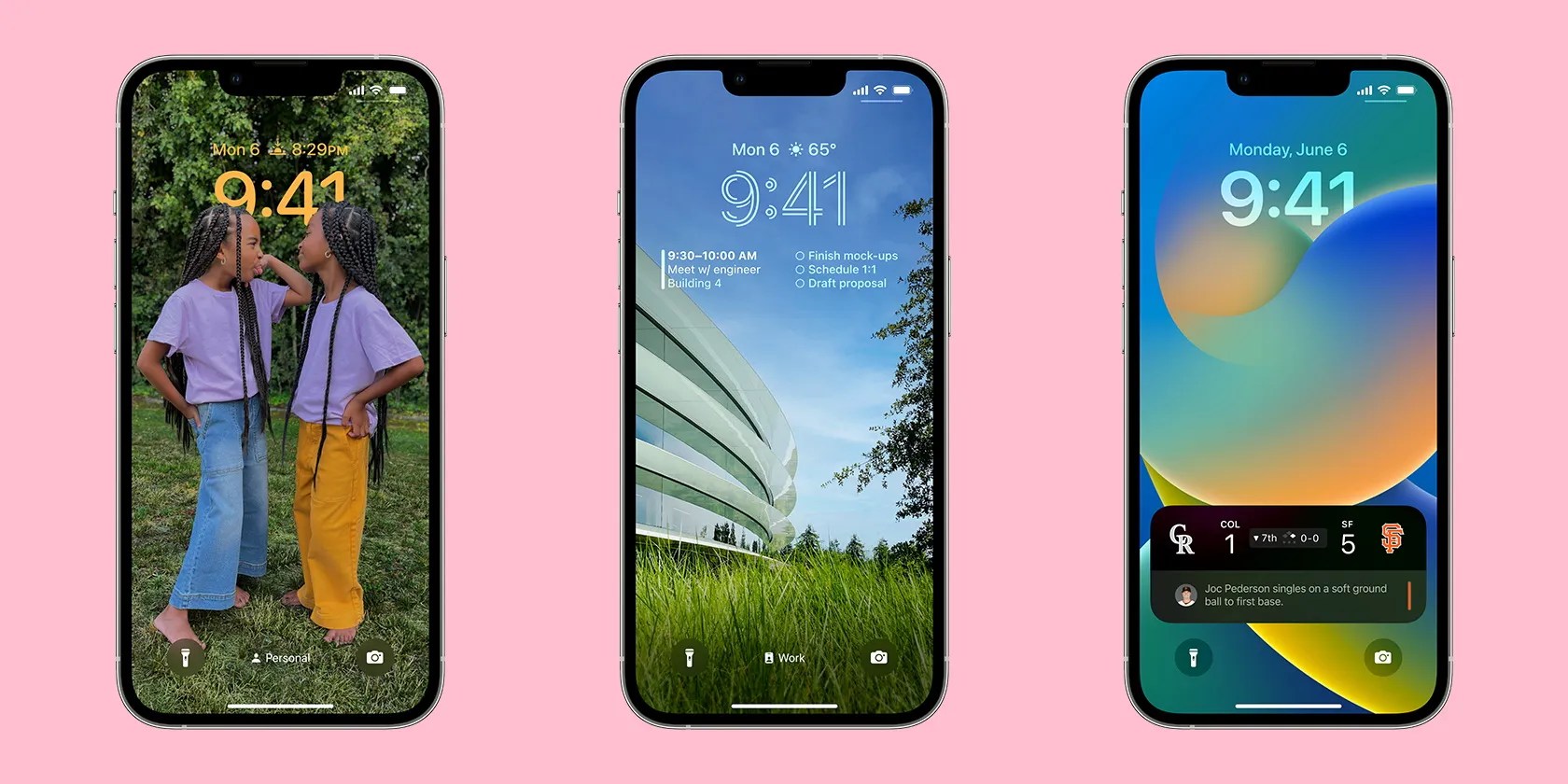
Nobody knew their Lock Screen needed an upgrade until Apple revealed some fantastic upcoming changes at WWDC 2022. iOS 16 is going to be released in fall 2022, and with it come a bunch of cool features you’re able to use to personalize your Lock Screen.
Here’s an overview of all the new Lock Screen features that Apple will release with iOS 16.

5. Lock Screen Widgets
While Apple introducedwidgets for your iPhone’s Home Screenwith iOS 14, with the upcoming update, it is bringing the feature to your Lock Screen as well. Widgets on your Lock Screen allow you to quickly take a look at information like:
A glance at this list will tell you how useful this could be as many of these are apps that are essential in most of our regular routines. Moreover, if you’re someone who’s part of the procrastinating crew, having widgets on your Lock Screen will hold you back from unlocking your phone and indulging yourself in hours of screen time.

4. Live Activities
Whether it’s an Uber ride, your favorite restaurant dropping off your food, or a football final, Live Activities will show you real-time events right on your Lock Screen. The layout for this feature is similar to Widgets. This is designed to avoid you getting bombarded with notifications by developing events.
Unfortunately, there is a slight delay in the release of this feature. Apple has announcedthe release of iOS 16in fall 2022, but Live Activities will not be available at launch and will come out later in the year.

3. Lock Screen Gallery
The Lock Screen in iOS 16 will allow you to create various options for different moods, Focus modes, or times of the day. Each Lock Screen can have its own wallpaper and widget setup. Even better, all you need to do to switch between them is swipe across your screen.
2. Built-In Editor
Another interesting feature you’ll see when you press and hold on your Lock Screen is theCustomizebutton, along with aplus (+)button. This allows you to edit an existing Lock Screen, while theplus (+)button will enable you to create a new one altogether.
When you pressCustomize, you can make changes to aPhoto Wallpaper(when you have an already existing photo as your wallpaper) or to aColor Wallpaper(if you want to switch to a color instead of a photo or already have a color). You can also create a multi-layered photo effect that puts the subject of the photo in front of the date and time widget to create a sense of depth.

1. Photo Shuffle
As the name suggests, this addition lets you see an automatic slideshow of different photos on your Lock Screen. You can create an entire library of your favorite pictures to play throughout the day. These could depict a memory, a person, a place, or just the best photos of yourself.
If you don’t want to make a library yourself, your iOS 16 can play an automatic shuffle for you. You also get to choose the time intervals between each photo shuffle.
A Revamped Lock Screen With iOS 16
iOS 16 is bringing the big guns out with all these major upgrades to the Lock Screen. you may add widgets, get real-time updates, change font styles and colors, and even play a slideshow of photos on your Lock Screen. There are tons of other great iOS 16 features you can check out too.
Find out everything you’ve got to look forward to on your iPhone with Apple’s upcoming iOS 16 update.
Sometimes the smallest cleaning habit makes the biggest mess.
Anyone with more than a passing interest in motorsports must see these films.
The fix was buried in one tiny toggle.
So much time invested, and for what?
Some subscriptions are worth the recurring cost, but not these ones.
